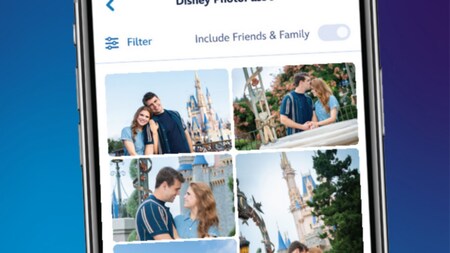
As we capture your vacation memories, it’s a snap to link and preview your Disney PhotoPass photos and videos! Once linked to your Disney account, you can see all your images in your gallery
online or on the
My Disney Experience app.
Remember, you can also view, purchase and download images from up to 25 Guests on your Family & Friends list who share photos and videos with you.
Linking Photos to Your Disney Account
To link photos and videos, use your MagicBand, MagicBand+, Disney MagicMobile digital pass, admission card, Memory Maker card, annual pass or Disney PhotoPass card (available from any of our photographers).
Attraction Photos and Videos
You can use your smart phone, MagicBand or MagicBand+ to automatically link attraction photos and videos to your Disney account. Just pick whichever option works best for you. Photo preview walls will also continue to be available at the exits of select attractions where you can tap your mobile device, park admission card, MagicBand or MagicBand+ to link your photos to your account.
A few tips for linking attraction photos and videos:
- Use a mobile device with Bluetooth® technology enabled for the My Disney Experience app.
- Make sure to sign in to the My Disney Experience app.
- Keep your mobile device out of Low Power mode while onboard.
- Please note that a smart watch can’t be used to automatically link attraction photos and videos.
Learn more about attraction photos and videos.
runDisney Photos
To link runDisney photos on our linking page, enter your 11-digit RaceID (located on the back of your bib) followed by your 5-digit bib number. If your bib number is less than 5 digits, add zeros at the beginning of the number to create a 16-digit code. You can link up to 5 runDisney bib numbers per race.